Grow Gadgets Heat Mat Thermostat (Max 1000W)
Grow Gadgets Heated Mat Thermostat
Ensure optimal germination conditions with the Grow Gadgets Heat Mat Thermostat. Simply connect to any heated mat and monitor the ideal temperature for seedlings with the user-friendly digital display.
Pair with a heated mat
This precise thermostat allows for quick temperature adjustments for your propagator. Combined with a compatible heated mat (e.g. the Grow Gadgets Heated Mat), you can maintain your desired temperature for seedlings regardless of external circumstances.
It’s a surefire way to keep seedlings in their best climate and primed for successful growth.
Facilitates early growth
Early growth is crucial to the development of a plant later on. Cold or unstable conditions can lead to poor plant formation and lower photosynthesis rates, limiting their potential for healthy yields.
This thermostat controls the temperature of your heated mat, producing gentle and even warmth that can be adjusted at the press of a button.
User-friendly display
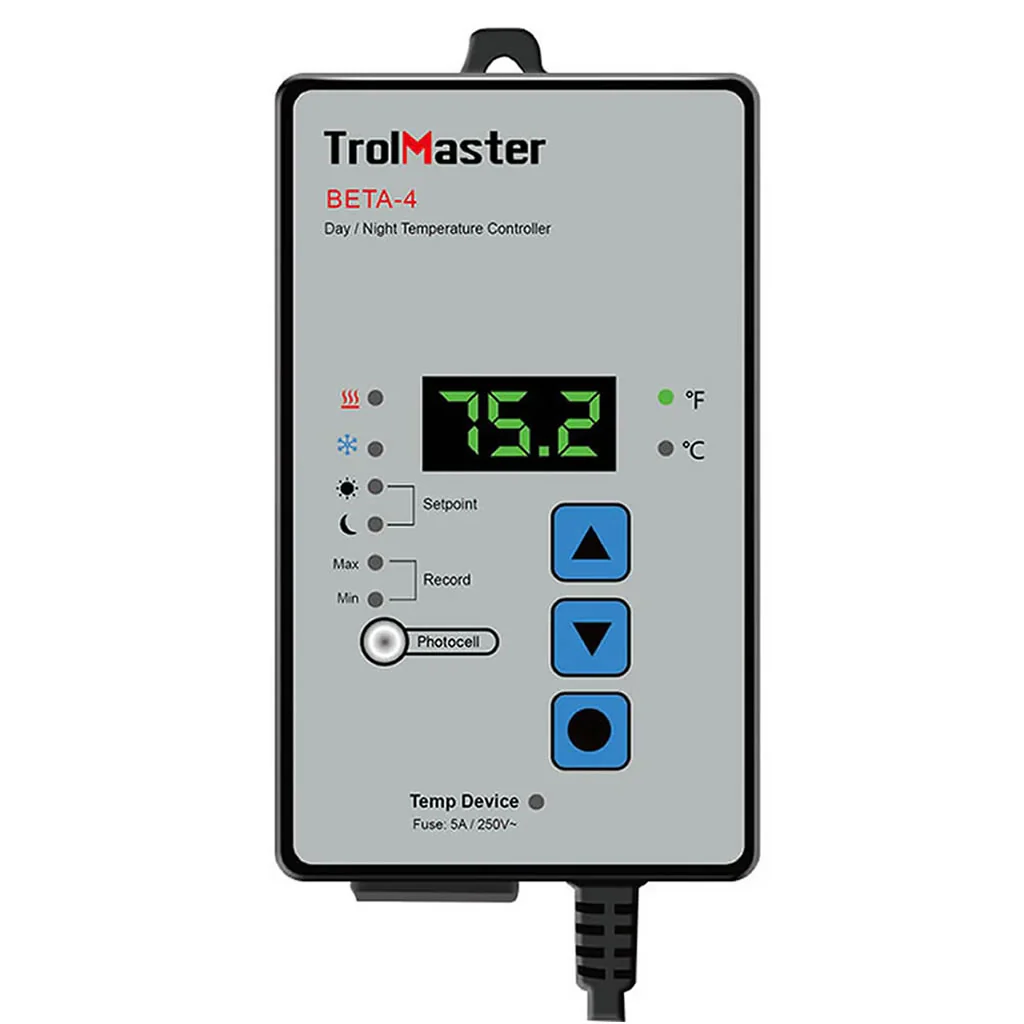
The appliance has a clear digital display and comes with an integrated hanging hook for easy viewing. It’s also mains-powered, meaning it won’t run out of batteries when you need it most.
Users can view their temperature in Celsius or Fahrenheit for an even simpler experience.
How to use Grow Gadgets Heated Mat Thermostat?
Place the thermostat probe about 1 - 1.5 inches (approx. 3cm) into the substrate in your propagator.
Making sure the appliance is away from any water and dirt, plug the thermostat in at a mains source using the power cord provided. The LED display on the thermostat face should light up.
To set the maximum desired temperature, press the “set” button on the interface. Press the “up” or “down” buttons until you reach your ideal maximum temperature. Press the “set” button again to confirm.
The red “heating” light will turn on when the thermostat is in the process of heating. The “heating” light will turn off automatically once it has reached the pre-set temperature. Make sure that the red “power” light is on - otherwise the appliance is not in operation.
Once the thermostat is fully heated, you may view the current temperature by:
- Pressing and holding the “up” button for 3 seconds (to view in Fahrenheit);
- Pressing and holding the “down” button for 3 seconds (to view in Celsius).
Do not submerge the thermostat in water.
Where to use Grow Gadgets Heated Mat Thermostat?
Use alongside your heated mat to control the temperature of your propagator.
You’ll benefit from warming things up in colder indoor growing spaces, like sheds, conservatories, grow tents, and greenhouses.
Product Specifications:
- Compatible with all heated mats;
- Maintains consistent temperature in grow rooms and propagators;
- Easy-to-read digital display;
- Displays temperature in ℃ and ℉;
- Controls temperature from 20℃ to 42℃.
- Brand: Grow Gadgets
- Product Dimensions: 80 x 170 x 120mm
Original: $39.07
-65%$39.07
$13.67Product Information
Product Information
Shipping & Returns
Shipping & Returns
Description
Grow Gadgets Heated Mat Thermostat
Ensure optimal germination conditions with the Grow Gadgets Heat Mat Thermostat. Simply connect to any heated mat and monitor the ideal temperature for seedlings with the user-friendly digital display.
Pair with a heated mat
This precise thermostat allows for quick temperature adjustments for your propagator. Combined with a compatible heated mat (e.g. the Grow Gadgets Heated Mat), you can maintain your desired temperature for seedlings regardless of external circumstances.
It’s a surefire way to keep seedlings in their best climate and primed for successful growth.
Facilitates early growth
Early growth is crucial to the development of a plant later on. Cold or unstable conditions can lead to poor plant formation and lower photosynthesis rates, limiting their potential for healthy yields.
This thermostat controls the temperature of your heated mat, producing gentle and even warmth that can be adjusted at the press of a button.
User-friendly display
The appliance has a clear digital display and comes with an integrated hanging hook for easy viewing. It’s also mains-powered, meaning it won’t run out of batteries when you need it most.
Users can view their temperature in Celsius or Fahrenheit for an even simpler experience.
How to use Grow Gadgets Heated Mat Thermostat?
Place the thermostat probe about 1 - 1.5 inches (approx. 3cm) into the substrate in your propagator.
Making sure the appliance is away from any water and dirt, plug the thermostat in at a mains source using the power cord provided. The LED display on the thermostat face should light up.
To set the maximum desired temperature, press the “set” button on the interface. Press the “up” or “down” buttons until you reach your ideal maximum temperature. Press the “set” button again to confirm.
The red “heating” light will turn on when the thermostat is in the process of heating. The “heating” light will turn off automatically once it has reached the pre-set temperature. Make sure that the red “power” light is on - otherwise the appliance is not in operation.
Once the thermostat is fully heated, you may view the current temperature by:
- Pressing and holding the “up” button for 3 seconds (to view in Fahrenheit);
- Pressing and holding the “down” button for 3 seconds (to view in Celsius).
Do not submerge the thermostat in water.
Where to use Grow Gadgets Heated Mat Thermostat?
Use alongside your heated mat to control the temperature of your propagator.
You’ll benefit from warming things up in colder indoor growing spaces, like sheds, conservatories, grow tents, and greenhouses.
Product Specifications:
- Compatible with all heated mats;
- Maintains consistent temperature in grow rooms and propagators;
- Easy-to-read digital display;
- Displays temperature in ℃ and ℉;
- Controls temperature from 20℃ to 42℃.
- Brand: Grow Gadgets
- Product Dimensions: 80 x 170 x 120mm